PECOS enrollment is how physicians, non-physician practitioners and group practices get permission to bill Medicare. PECOS, the Provider Enrollment, Chain, and Ownership System, is the CMS website where you complete the Medicare enrollment application online, upload documents, sign and track the file until your Medicare Administrative Contractor (MAC) approves it. Get it right the first time and a new provider can be billing Medicare within weeks. Get it wrong and the file bounces between development requests for months.
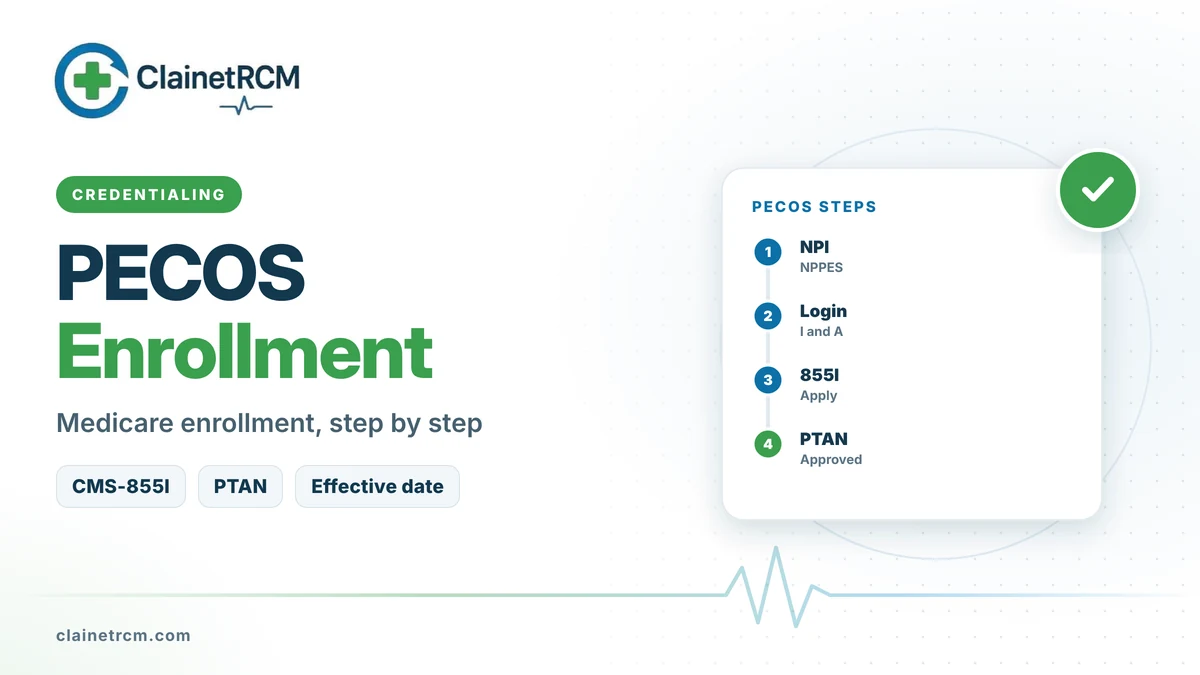
Quick answer: To enroll in Medicare through PECOS, (1) get an NPI from NPPES, (2) create an account in the CMS Identity and Access Management System (I&A), (3) log in to PECOS and start the right application, usually the CMS-855I for an individual and the CMS-855B for a group, (4) upload supporting documents and e-sign, (5) pay the application fee only if you are an institutional provider ($750 in 2026), and (6) answer any MAC development request within 30 days. Noridian, one of the MACs, quotes 15 to 50 calendar days for a web application that needs no site visit. When the file is approved you receive a PTAN and an effective date.
What PECOS Enrollment Covers
Medicare will not pay a claim unless the billing provider is enrolled. It also checks that the practitioner who ordered or referred certain services, such as lab tests, imaging, home health and medical equipment, is enrolled or validly opted out. That means PECOS enrollment matters even for some clinicians who never send Medicare a bill of their own.
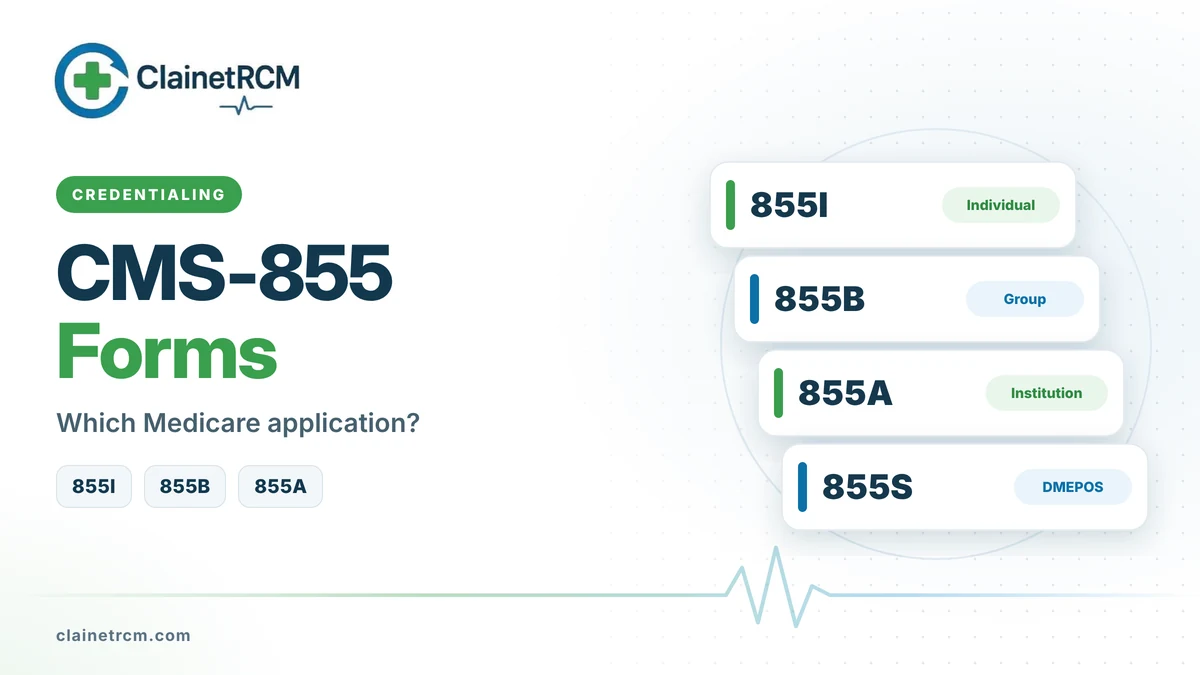
| Who you are | What you file in PECOS |
|---|---|
| Physician or non-physician practitioner billing Medicare | CMS-855I (individual enrollment) |
| Practitioner joining a group that bills for them | CMS-855I, including the reassignment section |
| Group practice, clinic or physician corporation | CMS-855B |
| Hospital, home health agency, hospice, SNF or other institutional provider | CMS-855A |
| Practitioner who only orders, refers or certifies | CMS-855O |
| DMEPOS supplier | CMS-855S |
The old CMS-855R reassignment form was retired in 2023. Reassignments are now part of the CMS-855I, so a new hire joining a group completes one individual application that also links them to the group. Our CMS-855 forms guide explains each application in detail.
Documents and Data to Gather First
Most PECOS delays start before anyone logs in. Collect these items first and make sure the data matches across NPPES, the IRS and the provider’s license:
- NPI and taxonomy. A Type 1 NPI for each practitioner and a Type 2 NPI for the group. Names, addresses and taxonomy codes in NPPES should match what you enter in PECOS.
- License and certifications. Active state license, board certification or national certification where required, and DEA registration if the provider prescribes controlled substances.
- Education and training. Professional school, residency or fellowship, and completion dates.
- Practice locations. Physical addresses (not post office boxes), phone numbers and the date the provider started, or will start, seeing patients at each site.
- IRS documentation for groups. The legal business name and TIN exactly as they appear on the IRS CP-575 or 147C letter.
- Ownership and management. For a CMS-855B, every owner with a 5% or greater interest, managing employees and managing organizations.
- Banking details. Electronic funds transfer information (CMS-588) and a voided check or bank letter. Medicare pays by EFT.
- Adverse legal history. Any final adverse legal action, such as a license suspension, exclusion or felony conviction, with supporting documents.
PECOS Enrollment Step by Step
- Confirm the NPI. Check NPPES first and fix any outdated address, name or taxonomy. PECOS pulls and validates data against NPPES.
- Set up I&A access. The Identity and Access Management System controls who can work in PECOS. Practitioners can use their own credentials. A group needs an Authorized Official to register the organization; that person can then approve office staff or a credentialing company as surrogates. Multi-factor authentication is required.
- Start the right application. Choose initial enrollment, then the scenario: an individual reassigning benefits to a group, a sole proprietor billing under their own NPI, or a new organization. The redesigned PECOS 2.0 interface shows only the sections that apply, but the underlying CMS-855 rules are the same.
- Complete each section carefully. Specialty, practice locations, where medical records are stored, any billing agency, and contact persons. One wrong digit in a TIN or ZIP code can trigger a development request.
- Upload supporting documents. Attach them in PECOS instead of mailing paper, so everything stays with the application.
- E-sign. The practitioner signs an individual application. For a reassignment, the group’s authorized or delegated official must sign too. A file with a missing signature does not move.
- Pay the fee if it applies. The 2026 Medicare application fee is $750 and applies to institutional providers. Physicians, non-physician practitioners and physician or practitioner organizations do not pay it.
- Watch for a development request. If the MAC needs more information, it sends a development request to the contact on file. You generally have 30 calendar days to respond, or the MAC can reject the application and you start over.
- Finish setup after approval. The approval letter lists the PTAN (Provider Transaction Access Number) and the effective date. Then complete EDI enrollment with your MAC, sign up for electronic remittance advice, and load the correct NPI and PTAN pairs into your billing system.
Effective Dates and Retroactive Billing
For physicians, non-physician practitioners and their organizations, the effective date is the later of two dates: the date the MAC receives an application it later approves, or the date the provider first furnished services at the new location. Medicare allows retrospective billing for up to 30 days before that date (90 days after a Presidentially declared disaster) when circumstances kept the provider from enrolling earlier.
The practical rule is simple: submit before the provider starts, not after. Each week of delay after the start date is a week that may never be billable. On the other side, MACs can reject applications that request an effective date too far in the future (Noridian lists more than 60 days ahead as a rejection reason), so time the submission to the real start date.
How Long PECOS Enrollment Takes
| Application type | Processing time quoted by Noridian |
|---|---|
| PECOS (web), no site visit | 15 to 50 calendar days |
| PECOS (web), site visit required | 50 to 85 calendar days |
| Paper CMS-855 | 30 to 65 calendar days |
These windows assume a complete application. Every development request adds time, and certified institutional providers also need a state survey or accreditation review and CMS approval. Web applications are faster than paper because the system only asks relevant questions and the documents travel with the file.
Common PECOS Mistakes That Delay Approval
- Mismatched data. A legal business name, TIN or address that does not match IRS or NPPES records.
- Wrong application. Filing a CMS-855B when an individual reassignment was needed, or the reverse.
- Practice location problems. A post office box, a missing suite number or a start date that does not match reality.
- Missing signatures. Especially the group official’s signature on a reassignment.
- Ignored correspondence. Development letters go to the contact email on file. If nobody monitors that inbox, the 30-day clock runs out.
- Forgetting downstream setup. Approval does not create EDI or ERA access. Claims still reject until those are in place.
Frequently Asked Questions
A complete web application that needs no site visit is commonly processed in about 15 to 50 calendar days. Development requests, site visits and institutional surveys add time.
Only for institutional providers and certain suppliers. The 2026 fee is $750. Physicians, non-physician practitioners and their group practices do not pay an enrollment fee.
You can, but you carry the timing risk. Claims are not paid until enrollment is approved, and the retrospective billing period is limited to 30 days before the filing date in most cases. Our guide on seeing patients before credentialing covers the options.
The Provider Transaction Access Number is the Medicare number your MAC issues when enrollment is approved. Claims carry the NPI, but you need the PTAN for MAC portals, EDI enrollment and phone inquiries.
NPPES issues and maintains NPIs. PECOS is the Medicare enrollment system. You need an NPI from NPPES before you can complete PECOS enrollment.
You keep one individual enrollment, but each new group needs its own reassignment, which you add through the CMS-855I in PECOS.
Final Thoughts
PECOS enrollment rewards preparation. Clean, matching data, the right application and fast answers to development requests keep the timeline short and protect the effective date. If you would rather hand the process off, our credentialing services team manages Medicare enrollment from NPI to first paid claim. For the bigger picture, read our guides to CMS credentialing requirements, Medicare revalidation and how to bill Medicare as a provider.
Get Enrolled in Medicare Without the Back-and-Forth
Our credentialing team prepares, submits and tracks PECOS applications, answers MAC development requests and sets up EDI and ERA so your first Medicare claims pay.
Talk to a Credentialing Specialist
Written by
ClainetRCM Billing Team
ClainetRCM is a Boston-based revenue cycle management company specializing in medical billing, coding, credentialing and denial management for healthcare providers across all 50 states. Our AAPC and AHIMA certified team works inside your existing EHR, files claims within 24 to 48 hours and reviews every AR bucket on a 14-day cycle.